
Source: MarkTechPost
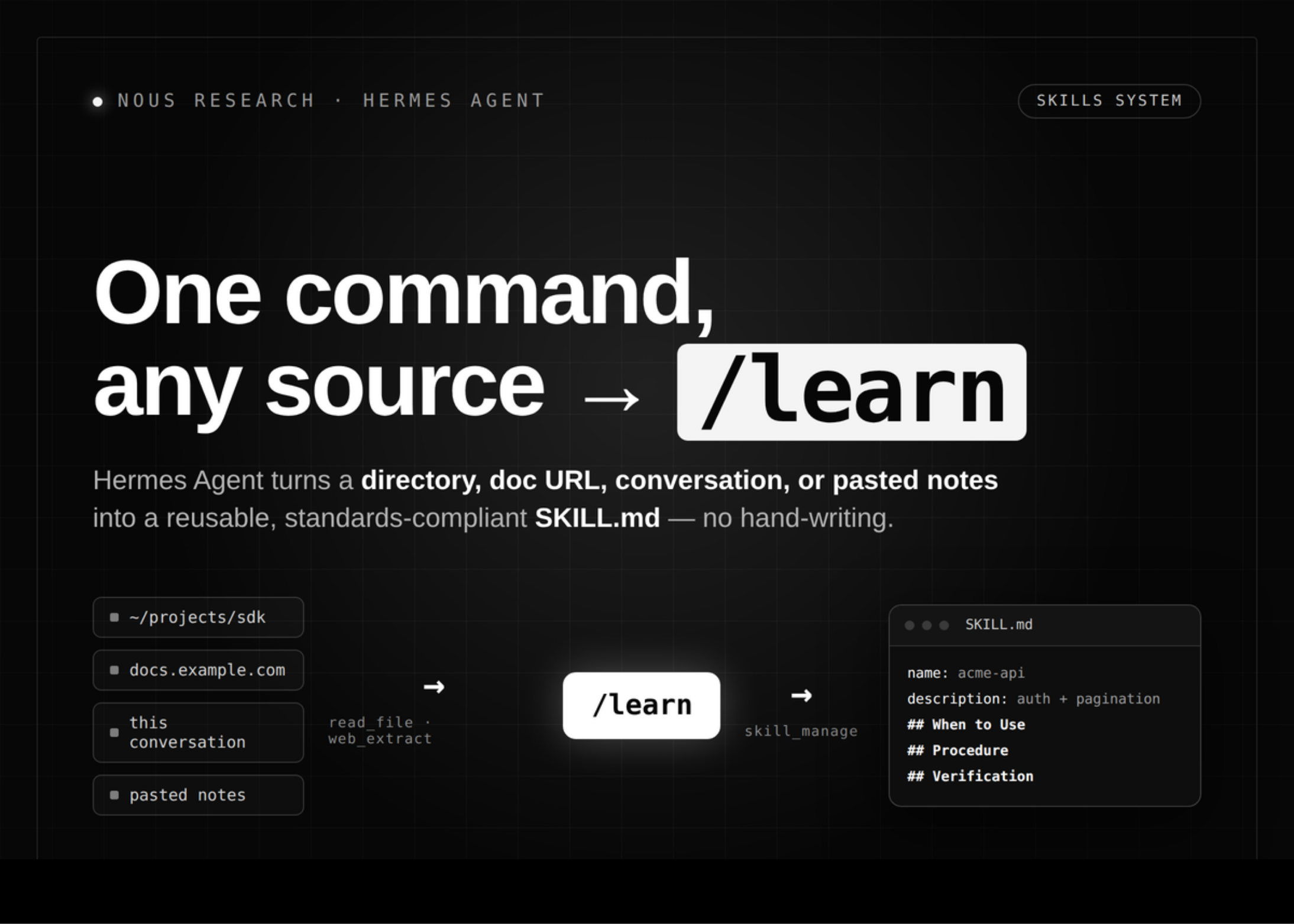
Nous Research has expanded the Skills System inside Hermes Agent, its open-source self-improving agent. The new addition is /learn, a command that writes a reusable skill for you. Point it at a document page, a local SDK, a past conversation, or pasted notes. The live agent gathers the material, then authors a SKILL.md on your behalf.
Hermes Agent can now /learn from anything: feed it directories of any source material (code, API docs, manuals, PDFs, configs) and it distills a verifiable reusable skill pic.twitter.com/oRznwCRF3E
— Nous Research (@NousResearch) June 23, 2026
Skills are on-demand knowledge documents the agent loads when needed. Each one is a folder containing a SKILL.md file with instructions. They follow a progressive disclosure pattern to keep token usage low. The format is compatible with the agentskills.io open standard.
All skills live in ~/.hermes/skills/, the single source of truth. On a fresh install, bundled skills are copied from the repo. Hub-installed and agent-created skills land there too. Every installed skill becomes a slash command automatically. Running /plan or /axolotl loads that skill’s instructions into the turn.
Think of a skill as a reference document the agent reads only when relevant. Memory, by contrast, holds small durable facts that should always stay in context.
How /learn Works
/learn removes the hand-writing step. You describe a source, and the agent does the sourcing with tools it already has. It reads local directories with read_file and search_files. It fetches online docs with web_extract. It can also capture a workflow you just walked it through.
# A local SDK or doc directory /learn the REST client in ~/projects/acme-sdk, focus on auth + pagination # An online doc page /learn https://docs.example.com/api/quickstart # The workflow you just completed in this conversation /learn how I just deployed the staging server # Pasted notes or a described procedure /learn filing an expense: open the portal, New > Expense, attach receipt, submitThe agent then authors a skill that follows the house authoring standards. That means a description under 60 characters, the standard section order, and Hermes-tool framing. It does not invent commands that do not exist.
There is no separate ingestion engine. /learn builds a standards-guided prompt and hands it to the agent as a normal turn. So it works the same in the CLI, the messaging gateway, the TUI, and the dashboard. It also works on any terminal backend, whether local, Docker, or remote. The dashboard adds a Learn a skill button with a directory field, a URL field, and a text box.
The agent saves the result with the skill_manage tool. If you have the write-approval gate on, that approval step still applies.
Why Skills Stay Cheap
Skills load in three levels, so the agent pays only for what it uses.
| Level | Call | Returns | Approx. cost |
|---|---|---|---|
| 0 | skills_list() |
Names, descriptions, categories | ~3k tokens |
| 1 | skill_view(name) |
Full content plus metadata | Varies |
| 2 | skill_view(name, path) |
A specific reference file | Varies |
The agent sees a compact index at all times. It loads full skill content only when a task needs it. This keeps a large skill library from flooding the context window.
Four Ways to Create a Skill
/learn is one path among several. The right choice depends on who authors the skill and where the source lives.
| Method | Who authors | Source input | Review gate | Best for |
|---|---|---|---|---|
Hand-write SKILL.md |
You | Your own knowledge | None | Full control over wording |
/learn |
The live agent | Dir, URL, conversation, notes | skill_manage gate |
Turning existing material into a skill fast |
skill_manage (auto) |
The agent itself | A workflow it just solved | write_approval gate |
Capturing procedural memory after hard tasks |
| Skills Hub install | A third party | Registry or GitHub repo | Security scanner | Reusing community or vendor skills |
Agent-created skills are the agent’s procedural memory. The agent may save an approach after a complex task of five or more tool calls. It also saves when it hit a dead end and found the working path. By default, write_approval is false, so the agent writes freely. Set it to true to stage every write for review under ~/.hermes/pending/skills/.
Use Cases With Examples
- Onboarding an internal API: Run
/learnon your private docs URL. The agent produces a skill covering auth, pagination, and common calls. New teammates then invoke it as a slash command. - Capturing a deploy runbook: Walk the agent through one staging deploy. Then run
/learn how I just deployed the staging server. The procedure becomes repeatable across the CLI and chat platforms. - Grouping a recurring task: Use a skill bundle to load several skills at once. One slash command then pulls in review, test, and PR skills together.
# ~/.hermes/skill-bundles/backend-dev.yaml name: backend-dev description: Backend feature work — review, test, PR workflow. skills: - github-code-review - test-driven-development - github-pr-workflow instruction: | Always start by writing failing tests, then implement.A Look at the SKILL.md Format
A skill is mostly a markdown file with YAML frontmatter. The body follows a fixed section order. /learn targets this exact shape so output stays consistent.
--- name: my-skill description: Brief description of what this skill does version: 1.0.0 platforms: [macos, linux] # Optional — restrict to specific OS metadata: hermes: tags: [python, automation] category: devops --- # Skill Title ## When to Use Trigger conditions for this skill. ## Procedure 1. Step one 2. Step two ## Pitfalls - Known failure modes and fixes ## Verification How to confirm it worked.The platforms field can hide a skill on incompatible operating systems. Conditional fields can also show a skill only when certain toolsets are present or absent.
Interactive Explainer
Key Takeaways
- Hermes Agent’s new
/learncommand authors a reusable skill from a directory, URL, conversation, or pasted notes — no hand-writing needed. - The live agent sources material with its own tools (
read_file,search_files,web_extract), then writes a standards-compliantSKILL.md. - There is no separate ingestion engine, so
/learnworks the same across the CLI, TUI, messaging gateway, and dashboard. - Progressive disclosure keeps skills cheap: a ~3k-token index loads first, and full content loads only when a task needs it.
- Skills save via
skill_manage, so thewrite_approvalgate can stage every write for review before it lands.