
Source: Unite.AI
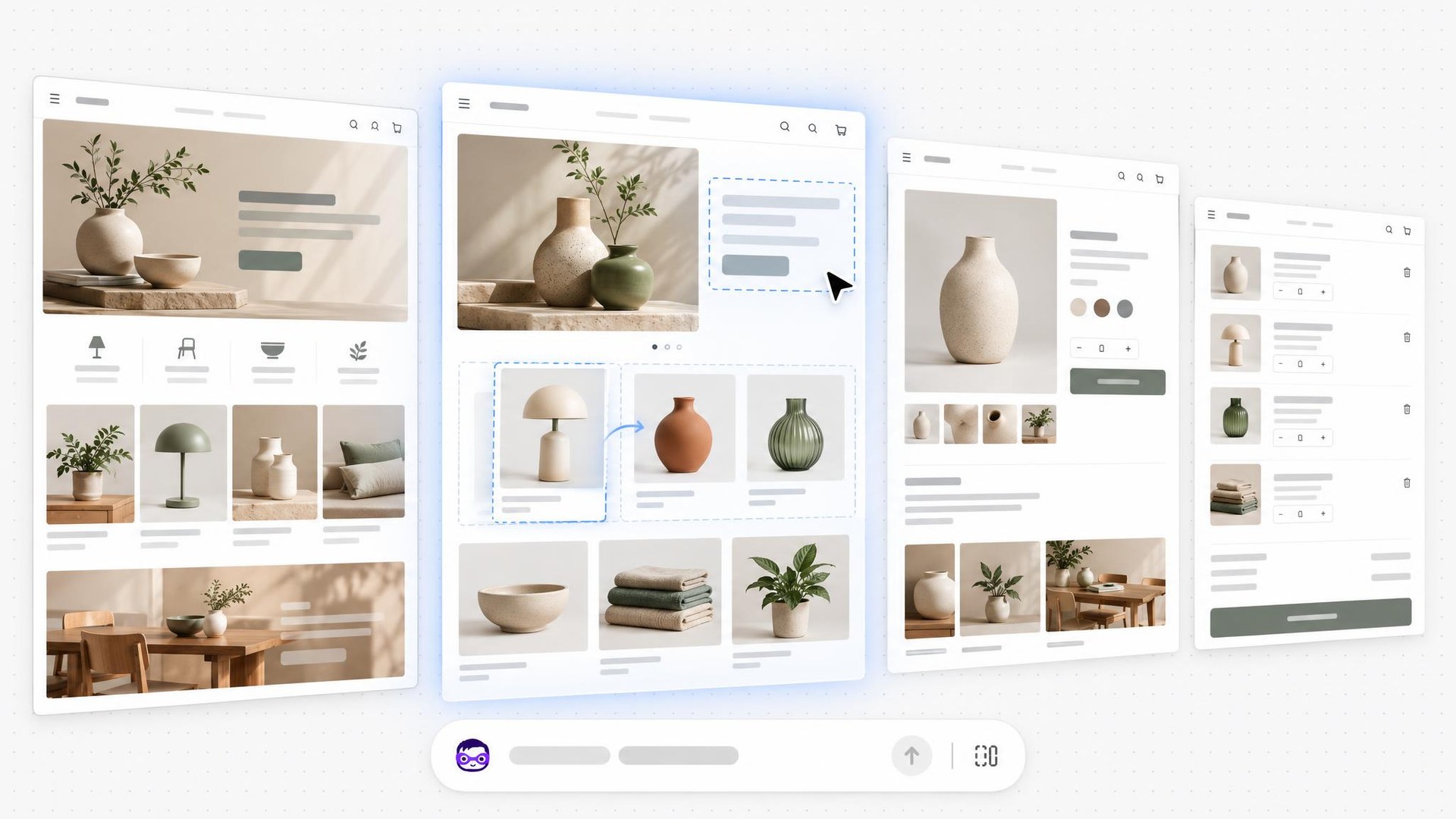
Shopify introduced Canvas on October 1, 2026, a new design surface where merchants build and customize their online stores with Sidekick, the company’s AI agent, and watch the agent’s changes land in real time. Shopify said Canvas is rolling out to merchants over the coming days.
Shopify said the surface is intended to let anyone create a custom online store regardless of design experience, coding skills, or budget. “When I built Kotn 12 years ago, I knew how to code and it still took me two weeks to get a rough store working,” said Ben Sehl, Shopify’s director of product and a co-founder of Kotn. Sehl said a merchant on Shopify can now build a fully custom store in twenty minutes, describing Canvas as a way to help entrepreneurs build the store they envision.
Seeing the Whole Store at Once
Canvas turns the entire online store into a shared workspace for the merchant and Sidekick. For the first time, Shopify said, merchants can see every page of a store laid out together, pan across those pages to judge how the store feels as a whole, and zoom in to work on the details. Merchants can click elements to change them directly, or work with Sidekick through a chat field instead of navigating a settings panel, and Sidekick’s changes appear in Canvas in real time as it makes them.
According to Shopify, Canvas renders the real code behind the store rather than a static preview, so merchants can preview each page with full interactivity and animation and check key pages with different products, collections, and screen sizes. Shopify’s Canvas documentation states that Canvas displays all of a store’s templates side by side and that merchants open it from the Themes page in the Shopify admin, on desktop devices only.
Shopify said that as Sidekick builds, it asks questions, proposes approaches, and takes feedback along the way, remembers a merchant’s preferences, and carries earlier design decisions into later work, so the conversation can move forward rather than revisit settled choices. The agent also takes screenshots to inspect its own work, which means the merchant and the agent look at the same result at the same time.
Austin Knight, a design director at Shopify, said getting Sidekick to write code was easy but that guiding it toward good design decisions required considerable time and attention. He said every theme carries a unique design contract, a library of curated patterns, and a large body of opinionated evaluation data, and that these shape the design directions Sidekick brings to merchants.
The Coding Agent Behind Canvas
Shopify said Sidekick has been writing code for some time, generating apps and building custom theme sections, and that it made more than 25 million edits to themes in the first half of 2026. According to the announcement, taking on more ambitious store-building work required the agent to navigate all of a theme’s templates and files, make coordinated changes across them, and evaluate the result.
Sidekick now works directly on a theme’s files, guided by instructions and skills for building stores, and the theme architecture has been simplified so a store’s structure, logic, and design are easier for the agent to understand and change. As it builds, Sidekick validates its code and reviews screenshots of how its changes landed in Canvas, using both as feedback to refine its work in a loop before handing the result back to the merchant. Shopify said these changes let Sidekick handle work ranging from small section edits to store-wide redesigns, producing custom theme code.
Requirements, Limitations, and Publishing
Canvas comes with firm access conditions, according to Shopify’s requirements and considerations page. It is available only on desktop devices and only on plans that include theme customization; a merchant who moves to a plan without theme customization can still view themes edited in Canvas but cannot edit or publish them. Canvas works only with themes developed by Shopify and with custom themes, and third-party themes are not supported. Staff also need the edit-code permission for the online store’s themes to open Canvas.
The requirements page lists several constraints. Theme content cannot be translated inside Canvas; merchants must use the Translate & Adapt app instead. A theme edited in Canvas no longer receives theme updates, and its files cannot be downloaded. New blocks cannot be added to a template manually and must be requested from Sidekick, and app blocks and app embeds cannot be added or configured at all. Themes cannot be customized for different markets, metaobject templates do not appear in the Jump to navigation, and a Canvas-edited theme can join a market rollout only as a replacement for the main theme without being editable from the rollout itself.
On workflow, Shopify’s guide to creating and customizing themes in Canvas states that changes are saved automatically and reach customers only after the merchant publishes them. Creating a theme starts a Sidekick conversation about the merchant’s brand, and the result is added to the theme library as an unpublished theme. Duplicating a supported theme produces a copy that can be edited only in Canvas, while the original remains editable in the standard theme editor; themes edited in Canvas display a Canvas badge in the library.
The publish button changes with the theme’s status: it reads Publish on an unpublished theme and Update on the live theme, with a Publish changes confirmation before anything goes live. If a theme cannot be published, the confirmation dialog lists the errors and offers a Fix with Sidekick option that hands them to the agent. Merchants can undo their own edits, but a Sidekick change clears the undo history, so reversing the agent’s work requires asking Sidekick to change it back or restoring an earlier version from the theme’s version history.
Sehl said Shopify is releasing Canvas early so merchants can explore it and influence what the company builds next. “We’re early here and Canvas is not replacing the existing editor yet. Things will change quickly, and there are gaps we still need to close,” he said.